




Canvas
Place stages on a visual canvas to represent the steps in your process.
Canvas
Place stages on a visual canvas to represent the steps in your process.
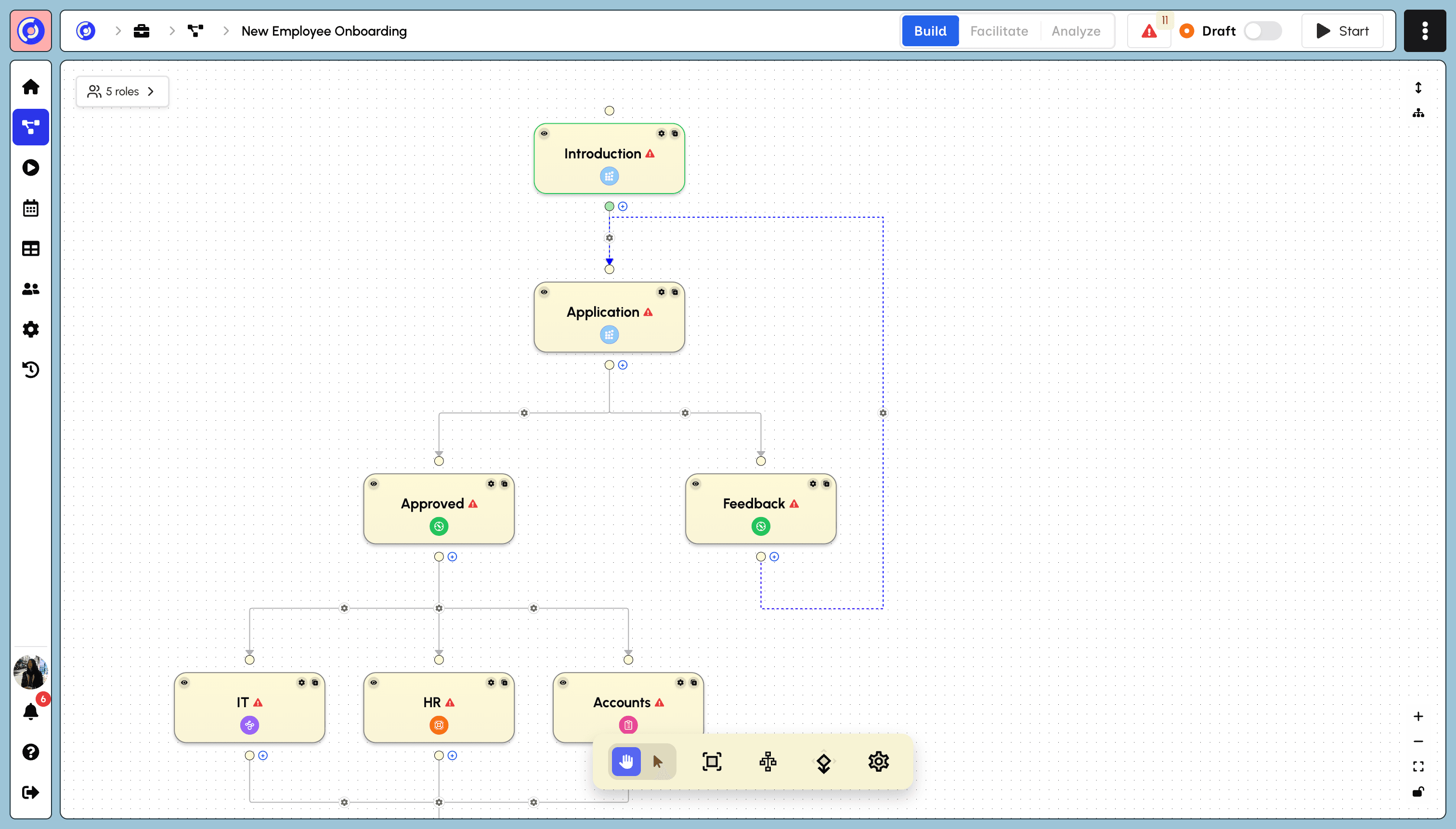
Place stages on a visual canvas to represent the steps in your process.
Place stages on a visual canvas to represent the steps in your process.
Build each stage from our rich set of blocks, collecting information or displaying media.
Build each stage from our rich set of blocks, collecting information or displaying media.
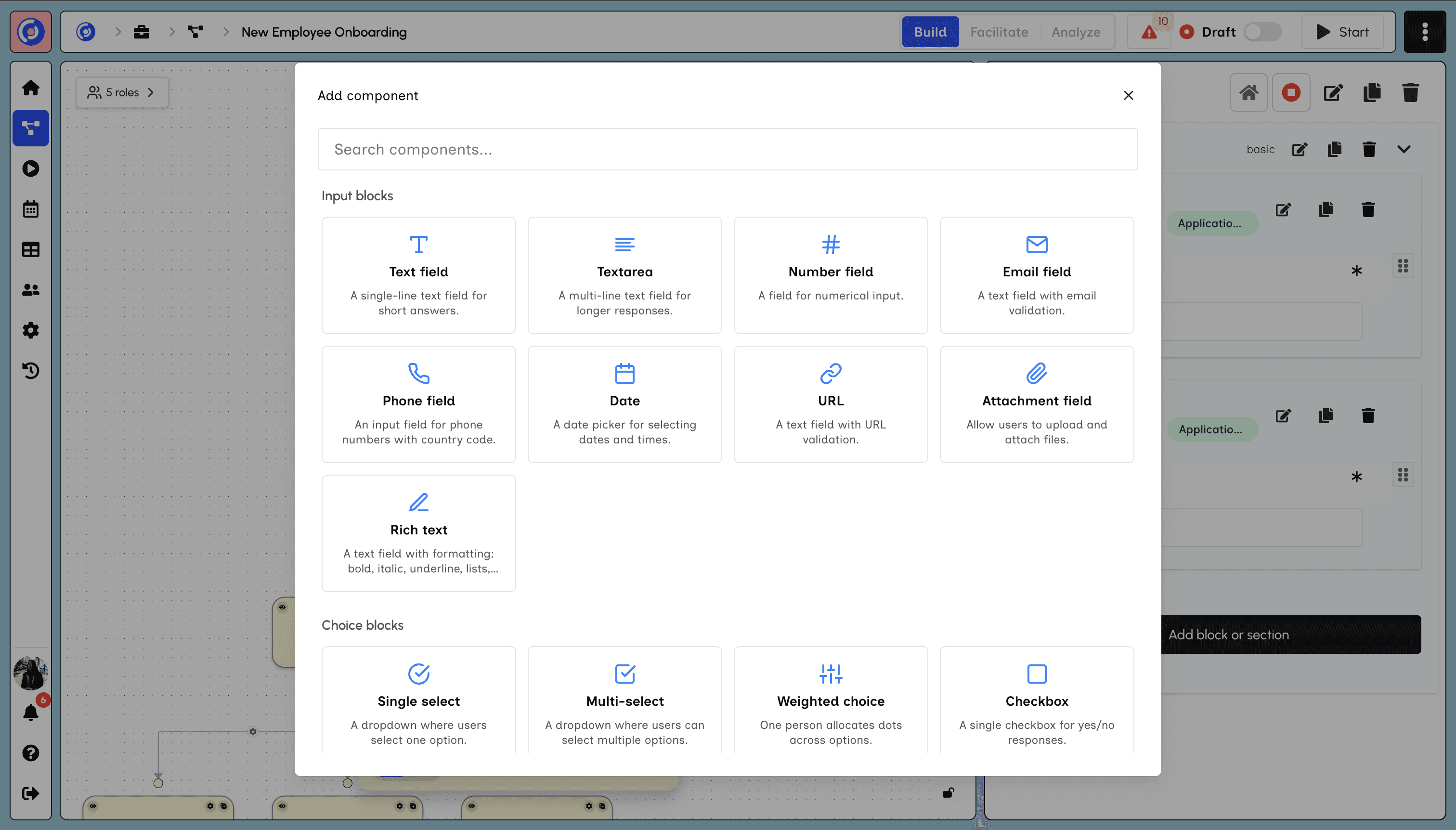
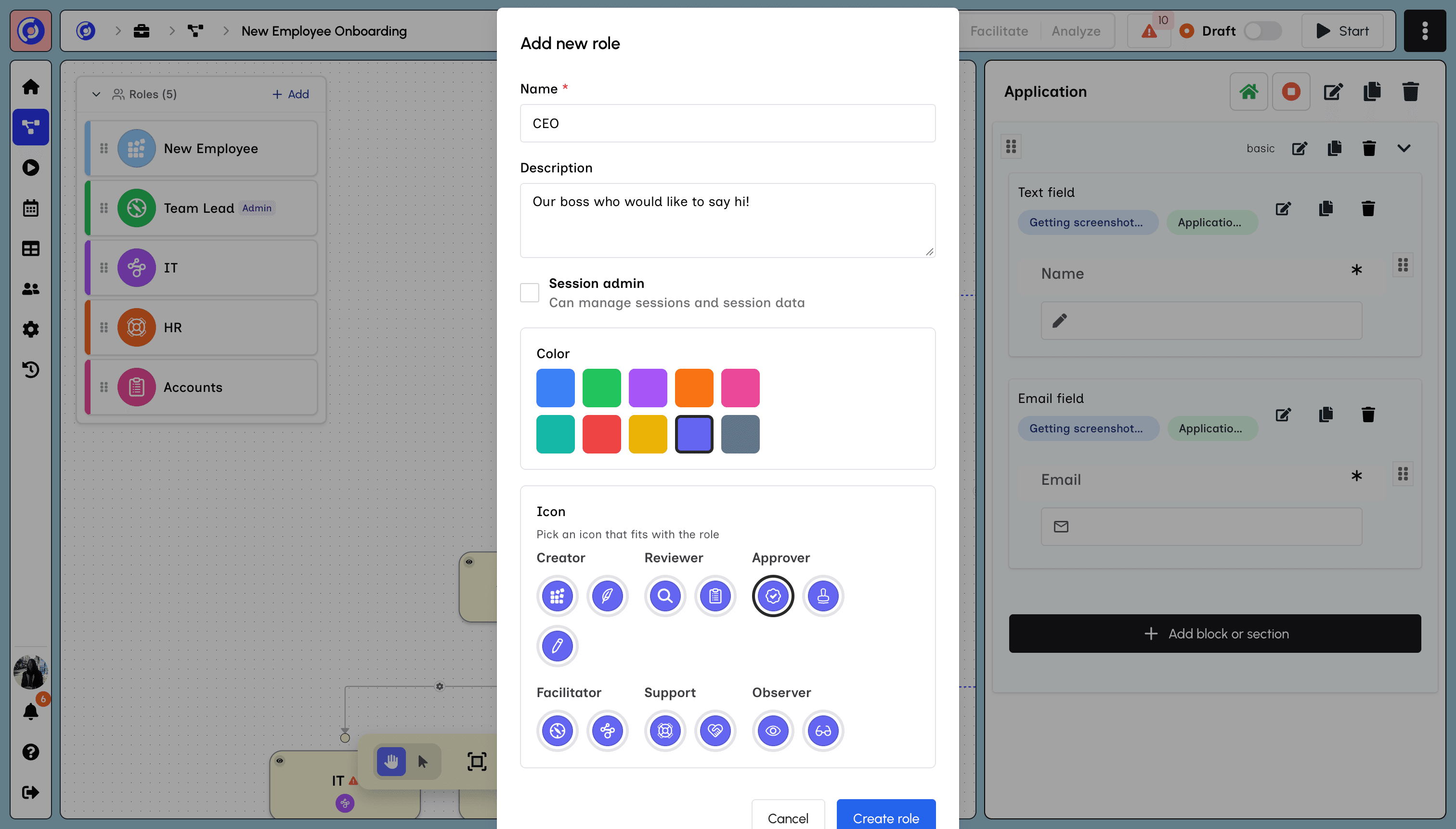
Delegate and control access by assigning roles to each stage.
Delegate and control access by assigning roles to each stage.
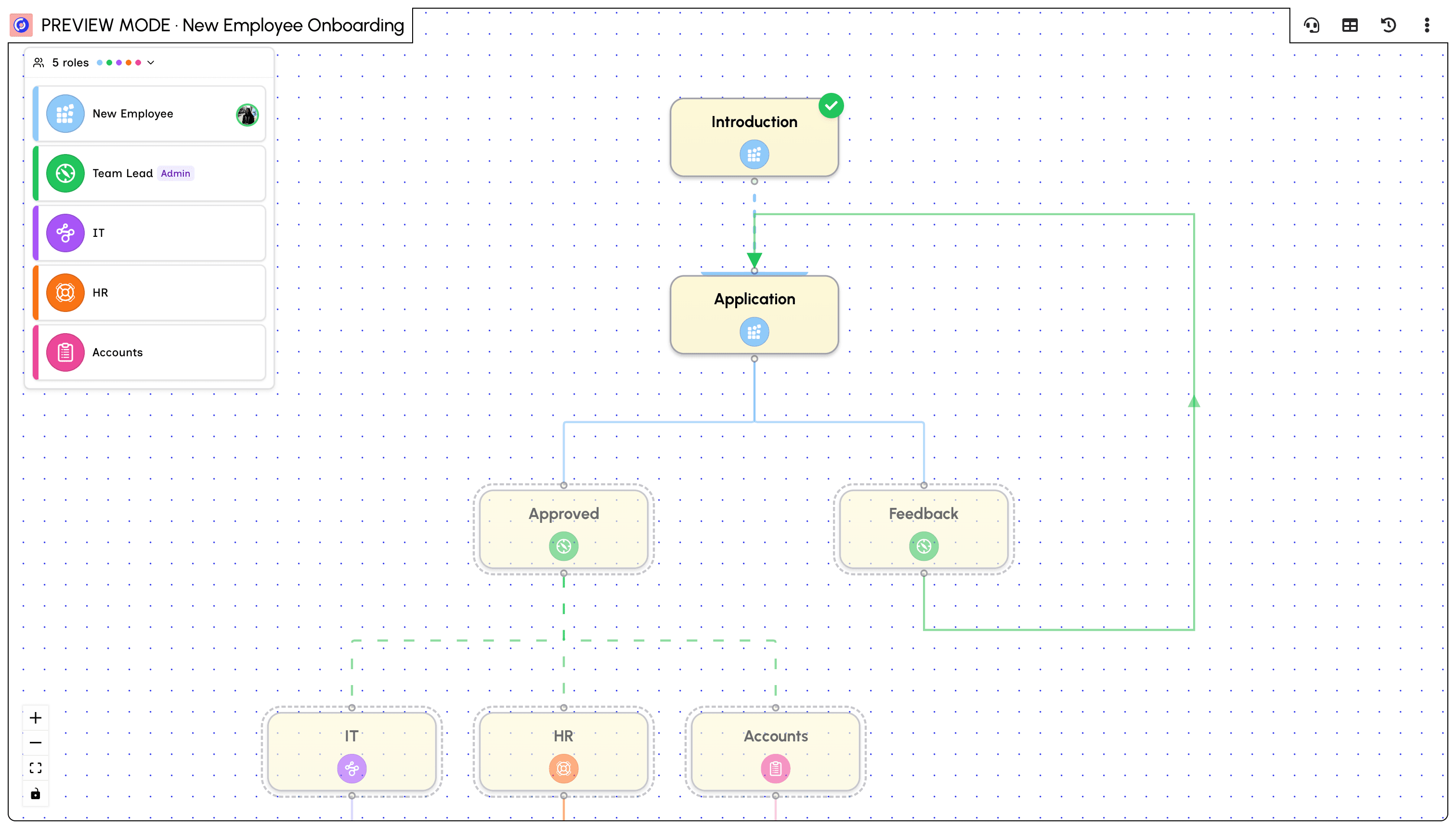
The canvas becomes the living map of where the work is, which stages are complete and which are open.
The canvas becomes the living map of where the work is, which stages are complete and which are open.
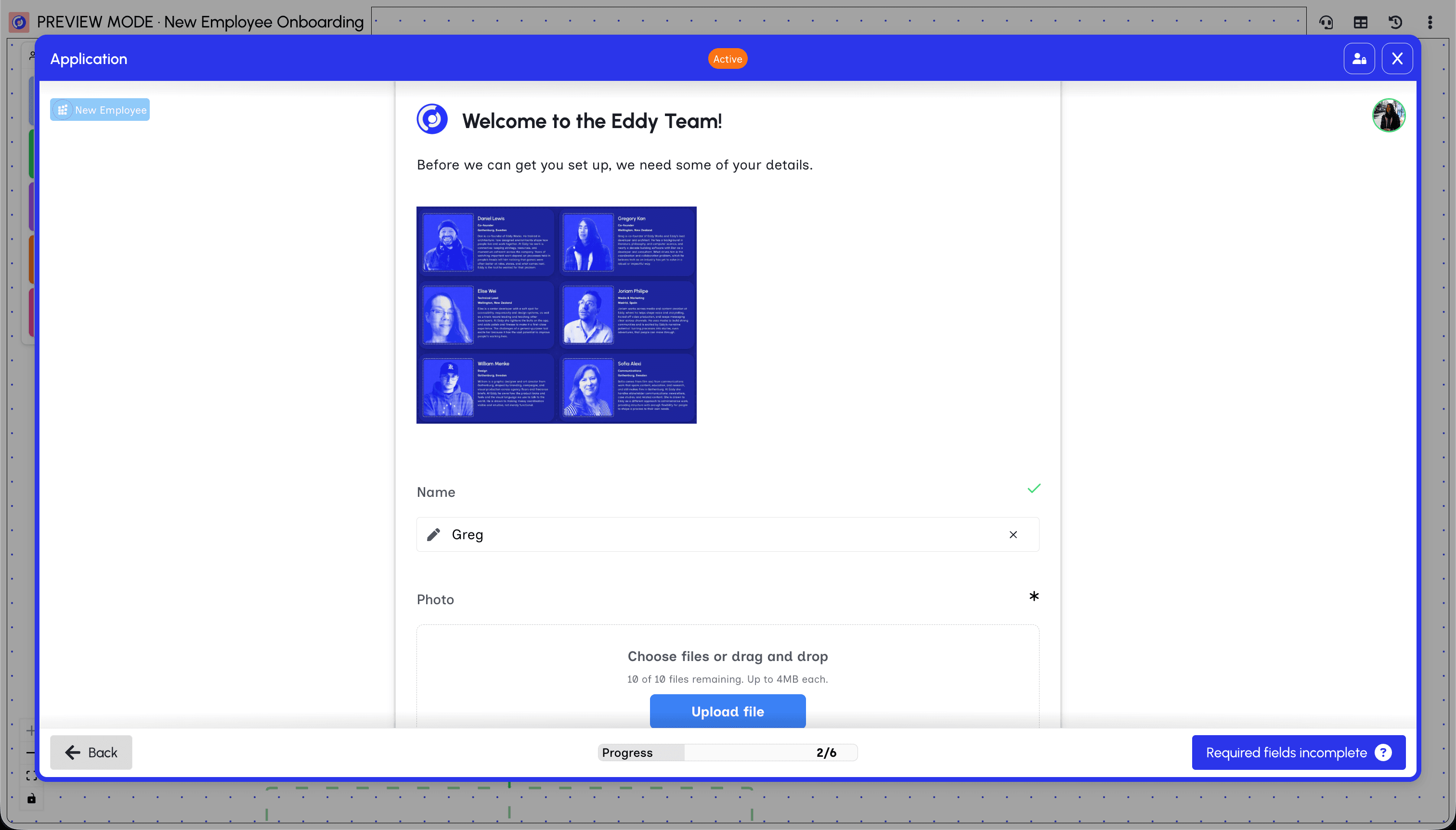
Each stage is where the work happens, providing a rich and seamless experience for participants.
Each stage is where the work happens, providing a rich and seamless experience for participants.
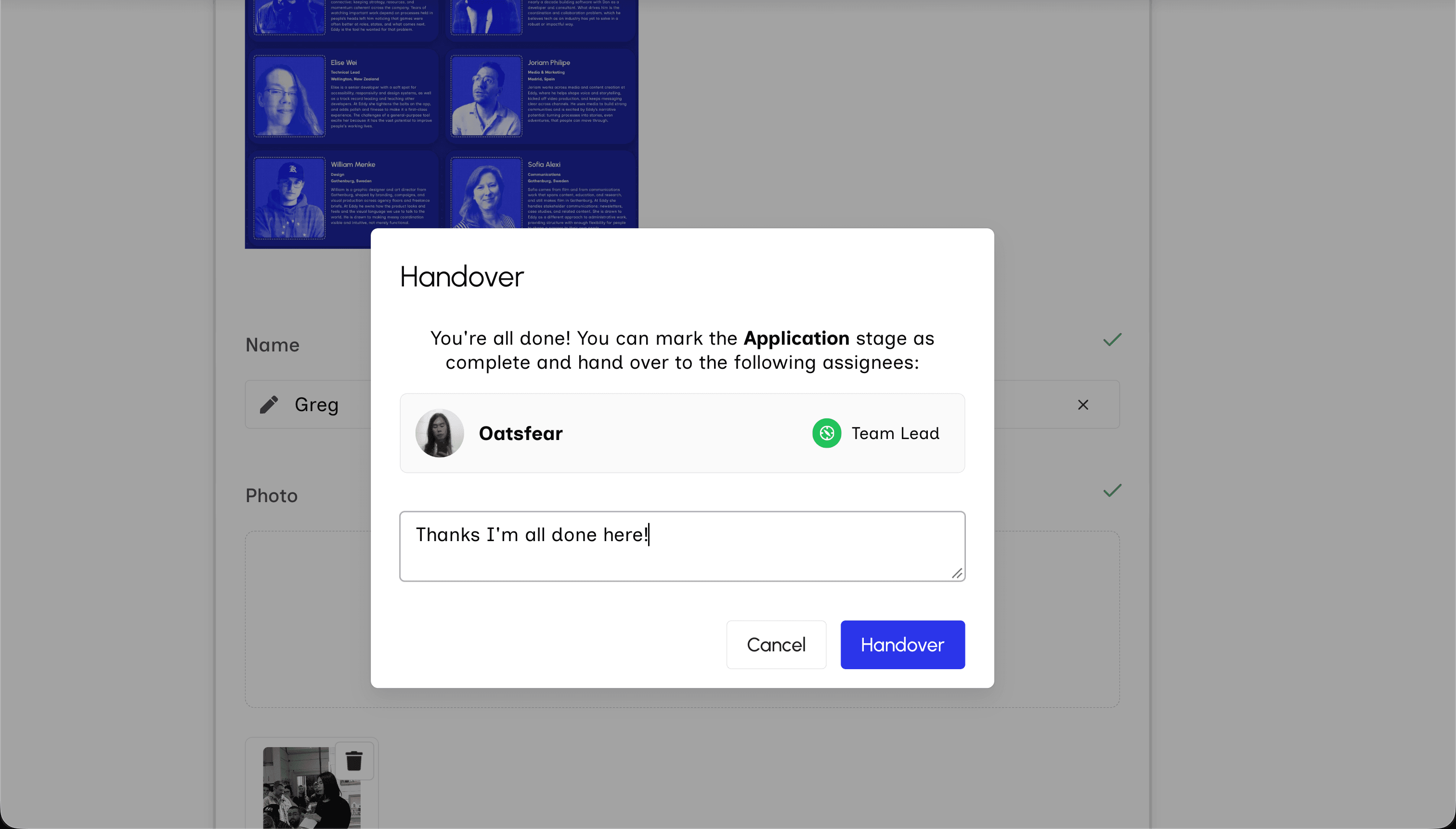
Handoffs between assignees are facilitated by the system, making multi-person coordination simple.
Handoffs between assignees are facilitated by the system, making multi-person coordination simple.
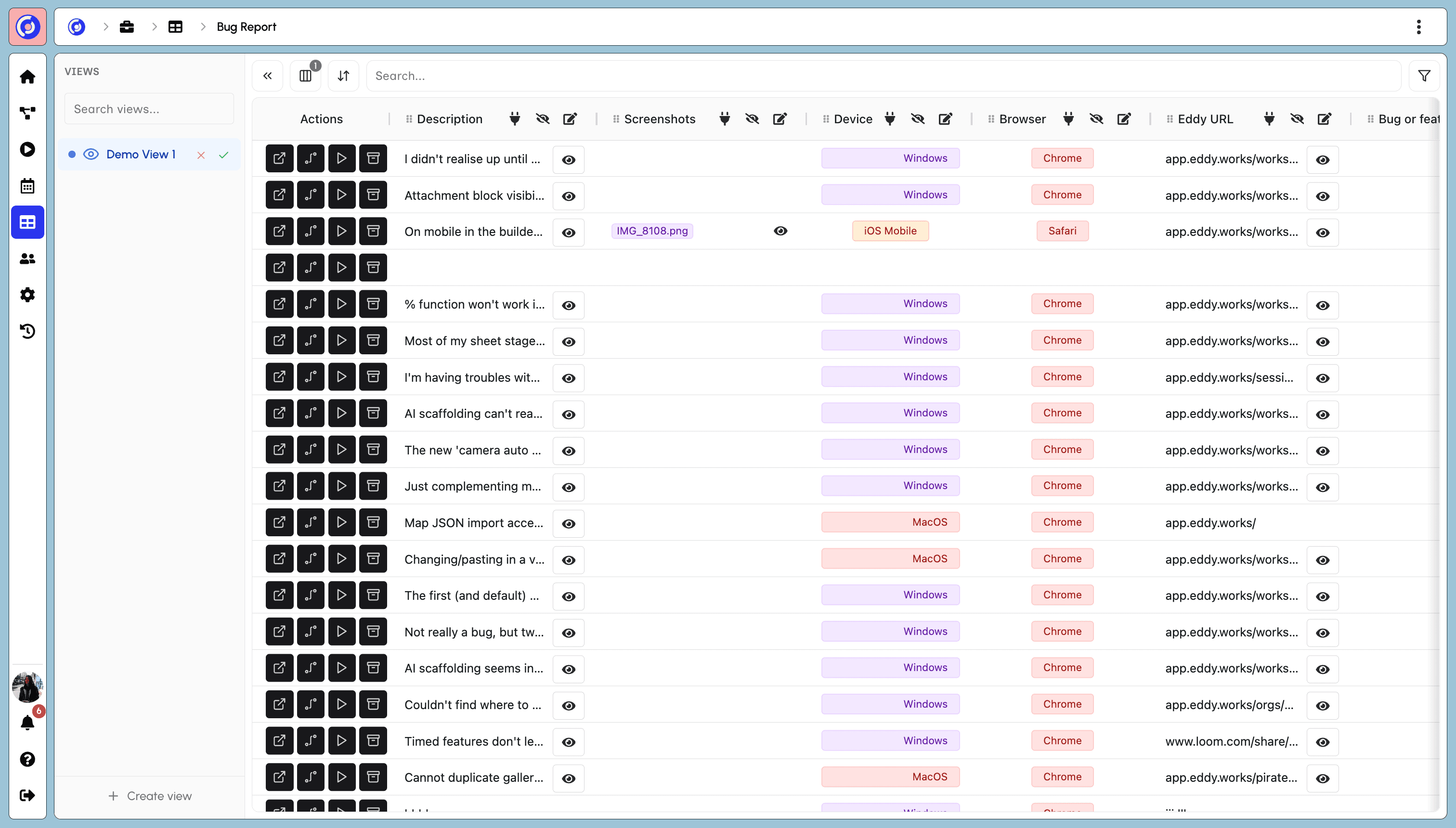
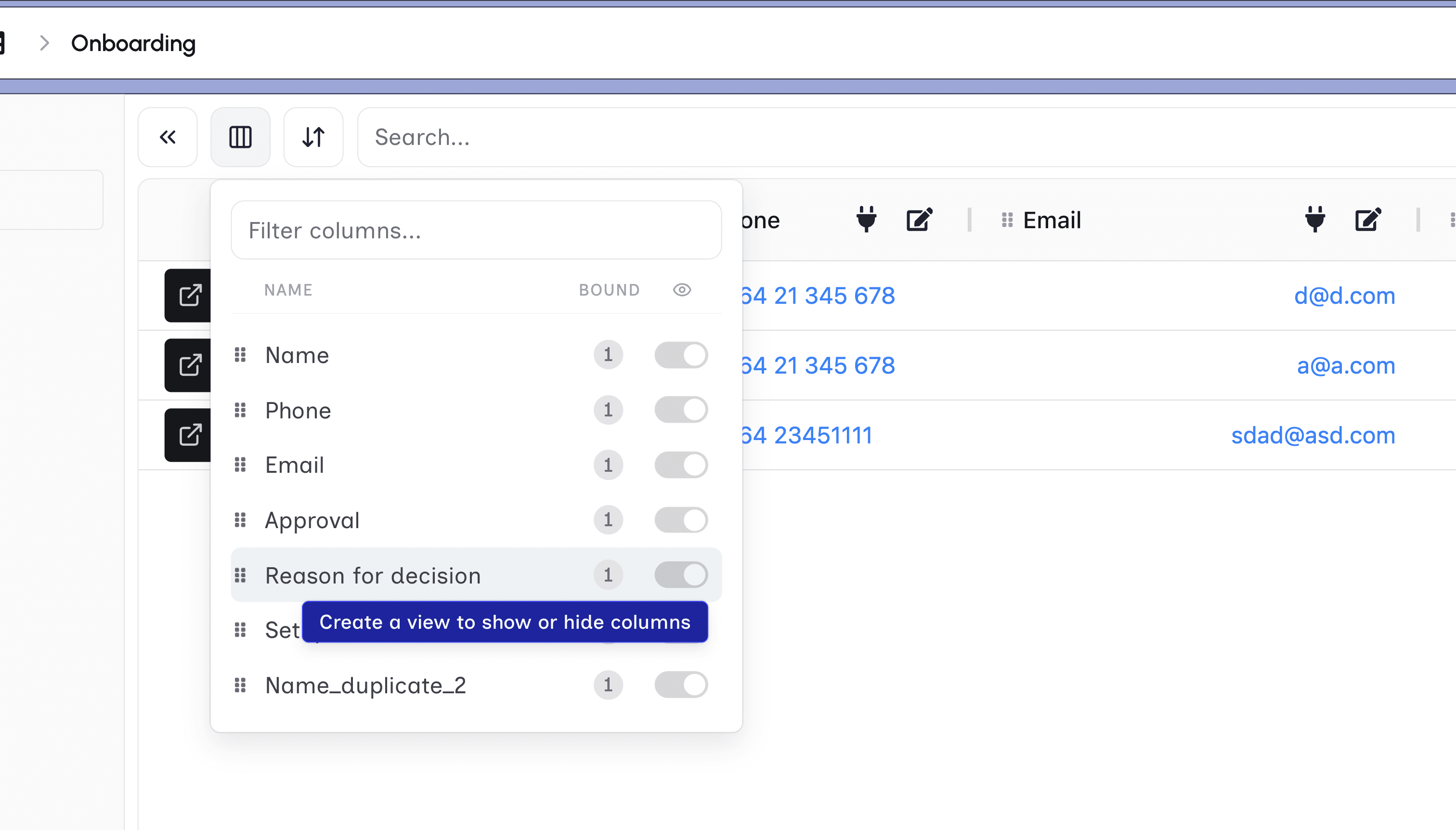
Each Session produces one main row that contains the user data from that Session.
Each Session produces one main row that contains the user data from that Session.
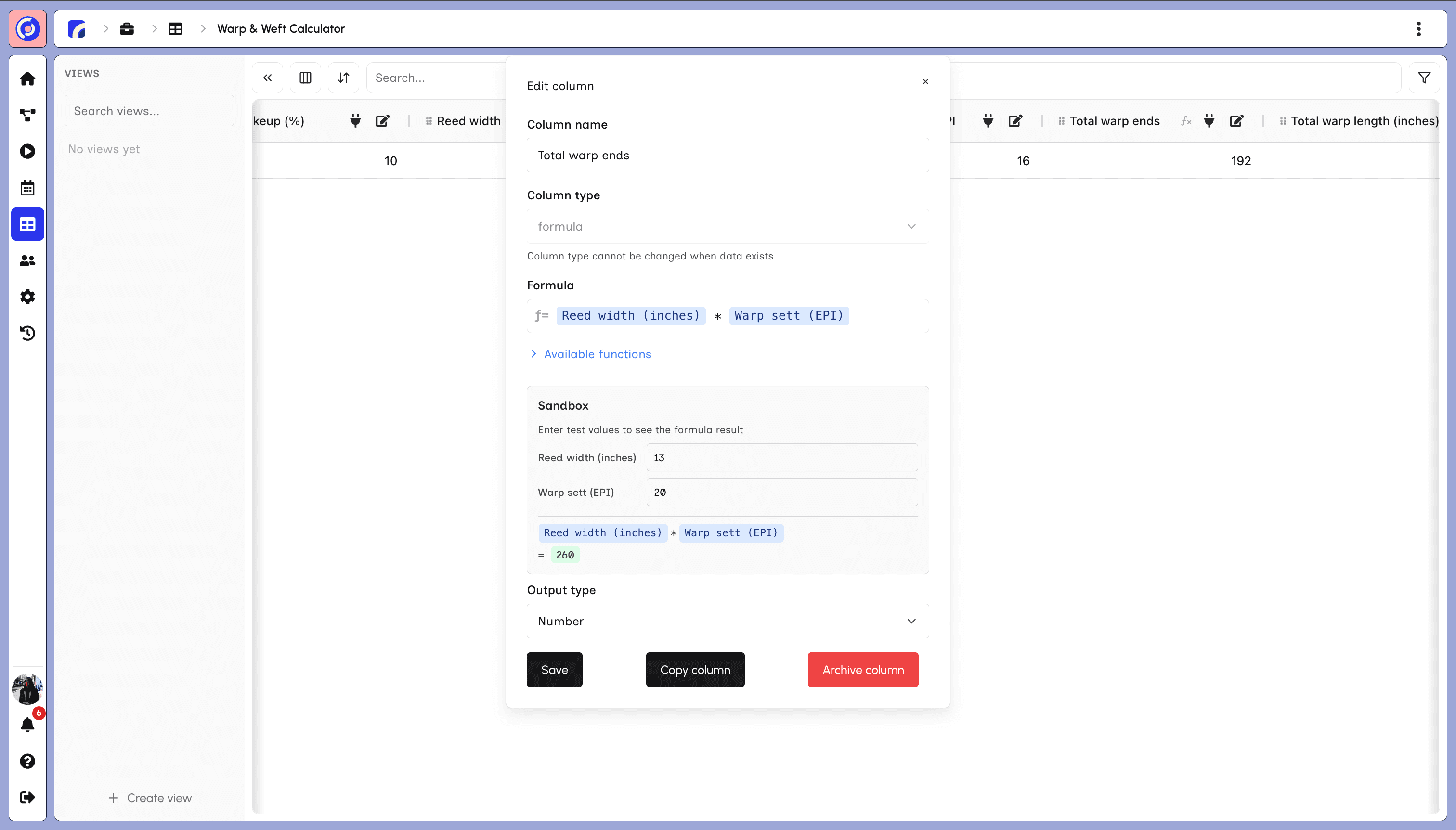
A formula column calculates a result for each row and updates when new Session data lands.
A formula column calculates a result for each row and updates when new Session data lands.
Reorder columns, save a view, share the sheet, or download it as a CSV.
Reorder columns, save a view, share the sheet, or download it as a CSV.
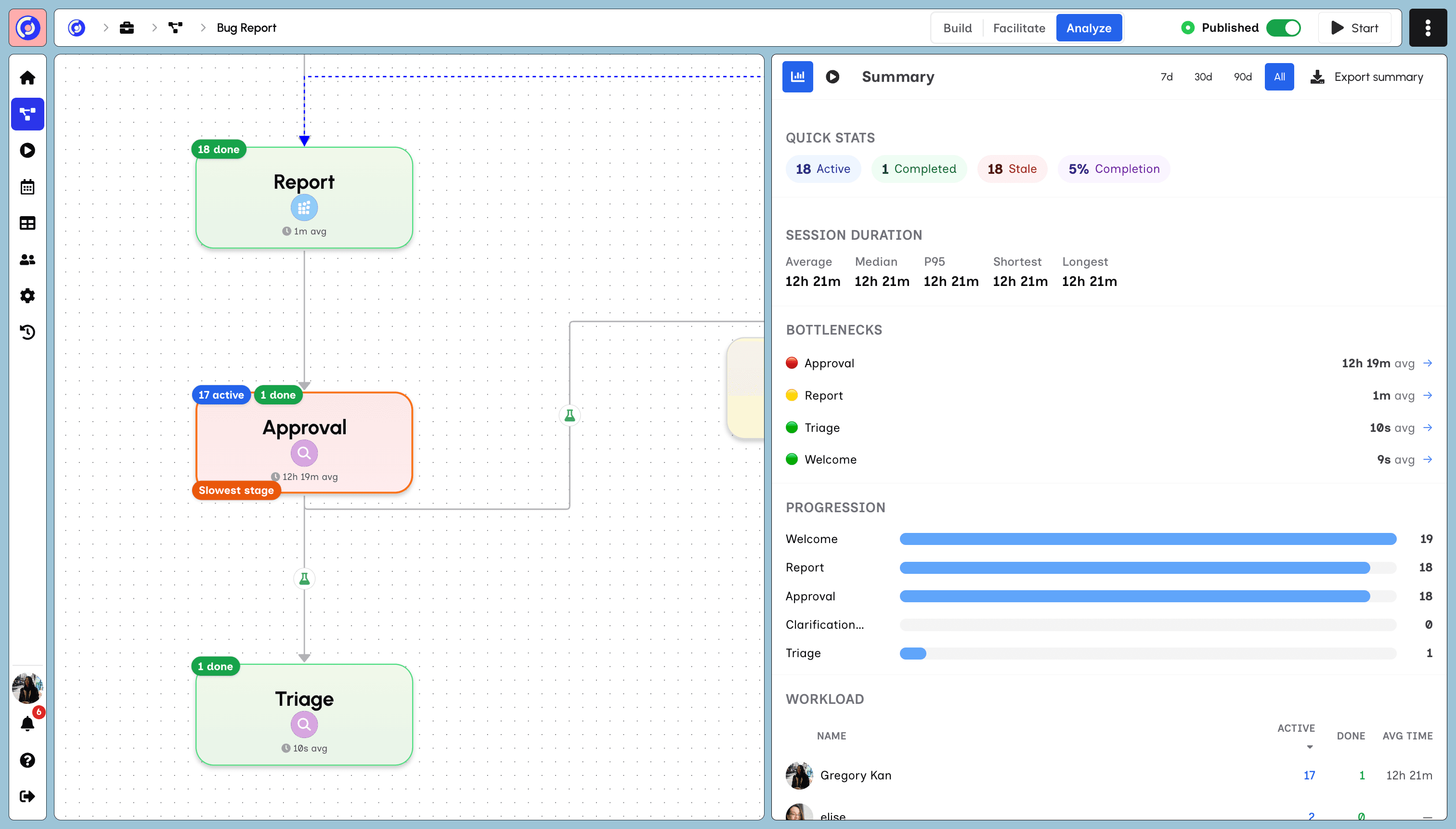
See how long Sessions take, which stage is the bottleneck, how the workload is spread, and how one Session compares to the average.
See how long Sessions take, which stage is the bottleneck, how the workload is spread, and how one Session compares to the average.
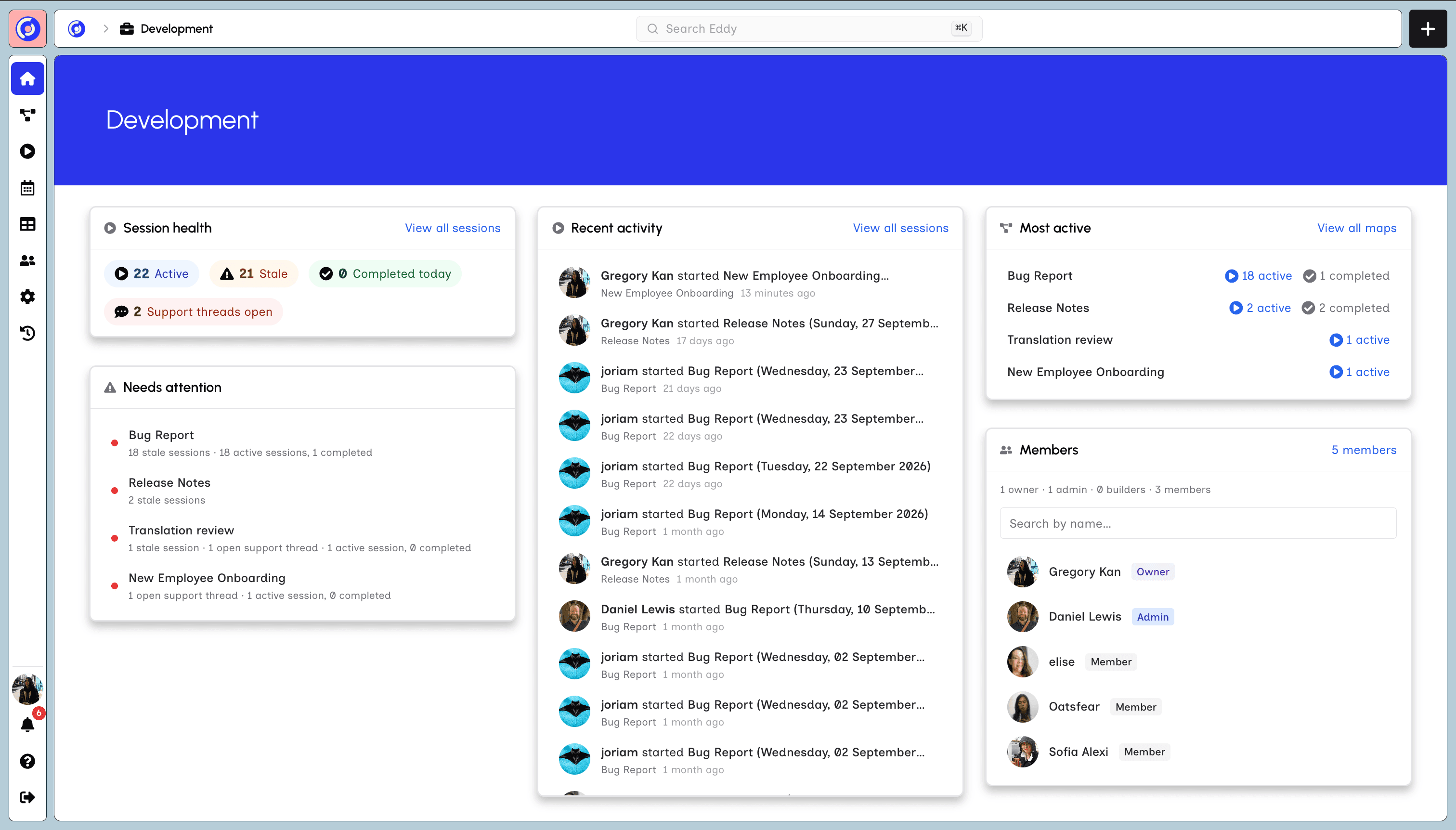
See which Maps are active, which have gone stale, and whether their cycle time is improving or getting worse.
See which Maps are active, which have gone stale, and whether their cycle time is improving or getting worse.
Draw the stages, then run a Session.